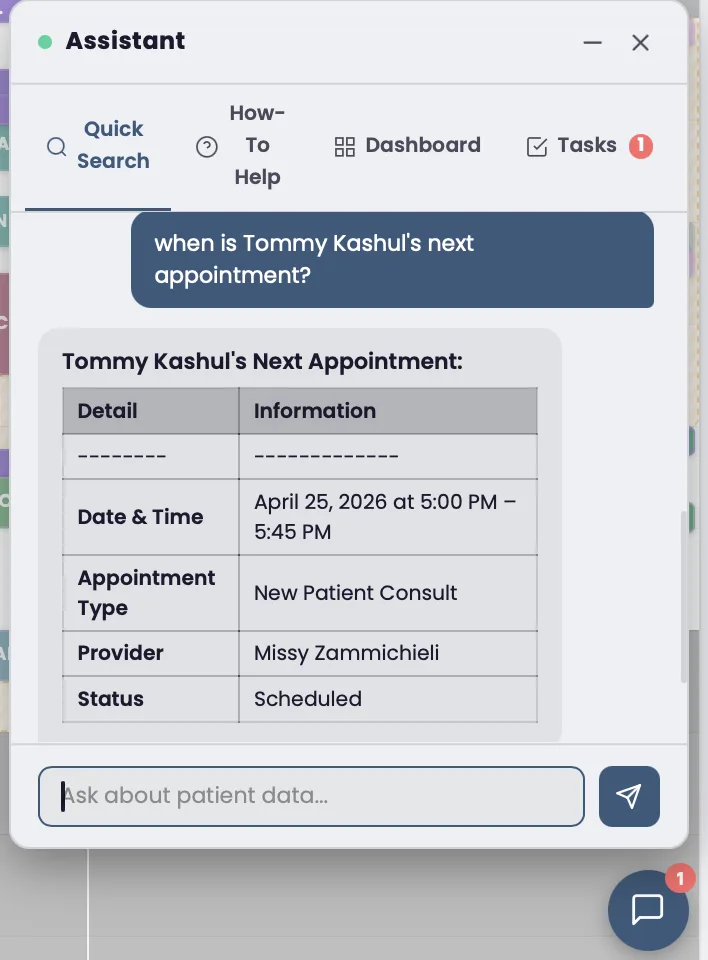
The AI you already use, plugged into your clinic. Natural-language queries on your patient panel. AI-drafted chart notes and patient messages with a clinician sign queue. PDF and image attachments. In-app, or connected to Claude Desktop via MCP. BAA-covered, audit-logged, human-in-the-loop on every write.
Why Generic EHR AI Features Fall Short
Every major EHR now ships "AI features." Athenahealth has Co-Pilot. eClinicalWorks has Sunoh. DrChrono has ScribeAI. Tebra has AI Notes. They're all variations of the same thing: a chat box bolted onto the side of an interface that wasn't built for it. Drop in a transcription. Get a draft note. Done.
Your AI can summarize the visit you just had. It can't tell you which patients in your panel haven't been seen in 90 days. It can't draft messages to the 23 patients on a specific protocol who are overdue for follow-up labs. It can't pull a P&L by service line. It doesn't know your clinic data — it only knows the document you pasted in.
We built our EHR so the AI lives inside it, with read access to the real clinical data and write access through a draft-then-sign queue that keeps the clinician in the loop. The same ~30 tools that work in the in-app chat work in Claude Desktop too, via our native MCP server. Same data, your AI of choice, one audit log.
The chat box is the easiest 10% of the problem. The other 90% is making the AI actually useful inside a multi-user clinical workflow with real PHI, real billing, real audit obligations. That's what we built.
I tried every EHR's AI feature. They're all the same — a transcription helper bolted onto a system that wasn't designed for AI. You drop in a Quest CSV, you get a draft note, you sign it. That's fine, but it's not what AI can do.
We built Moonshot so the AI can actually see your clinic — your panel, your protocols, your billing. The same tools work whether you're in our chat box or in your own Claude Desktop session via MCP. The data layer is the moat. The chat box is the easy part.
— Tom Kashul, founder of Moonshot Medical & Moonshot Clinic
Capabilities
Stop clicking through dashboards. Ask a question. Get an answer.
Type questions in plain English. The AI interprets your intent, queries the database, and returns structured results.
Find patients overdue for bloodwork, follow-ups, or check-ins. Results include names and direct links to their charts.
Filter by medication, diagnosis, service line, or any clinical attribute. Get a clickable patient list in seconds.
Every result links directly to the patient chart. Click to open. No searching, no scrolling, no copying IDs.
Staff see what their role allows. Providers query clinical data. Front desk queries scheduling. Owners see everything.
Every AI query is logged with the user, timestamp, and question asked. Full compliance trail for HIPAA audits.
The same AI powers an in-app support chatbot. Ask how to use any feature, report a bug, or escalate to a human with one click.
Ask the AI to draft a SOAP note from an encounter. The draft lands in the clinician review queue and only commits to the patient's chart (encounter_notes) on Sign by a user with edit_charts. Never autonomous.
Portal or SMS message drafts queued for review. A clinician with send_messages signs to send. No message leaves the system without a human in the loop.
Drop lab PDFs, intake forms, or photos into the chat. The AI extracts and summarizes text; AWS Bedrock vision models read images. Cite back into the chart.
Same ~30 tools, surfaced through Claude Desktop's Connectors UI in 90 seconds. Use the AI you already use, not a chat box bolted onto the EHR. Read the MCP spec →
$10/month free AI pool, per-user daily cap, per-tenant monthly hard cap. All configurable in /admin/ai-usage/. Stripe metered billing at 110% of Bedrock cost. No surprise bills.
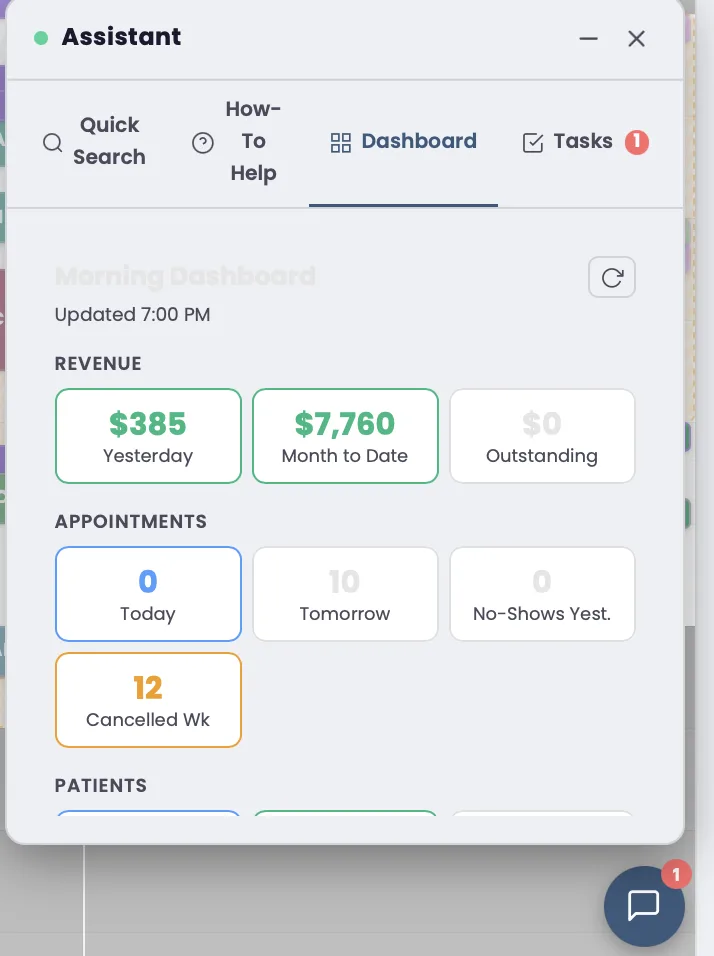
draft_chart_note and draft_patient_message tools propose drafts that land in /admin/ai-drafts/ for a clinician to review and sign. A user with edit_charts signs chart-note drafts; a user with send_messages signs message drafts. There are no autonomous writes — every change passes through a licensed human.Related Features
AI queries can surface patients who haven't logged into the portal or completed forms.
Learn moreAsk "Who has appointments tomorrow?" or "Which providers have open slots this week?"
Learn more