Booking without a portal password
Let patients choose from available appointment times through your website or a standalone booking link.
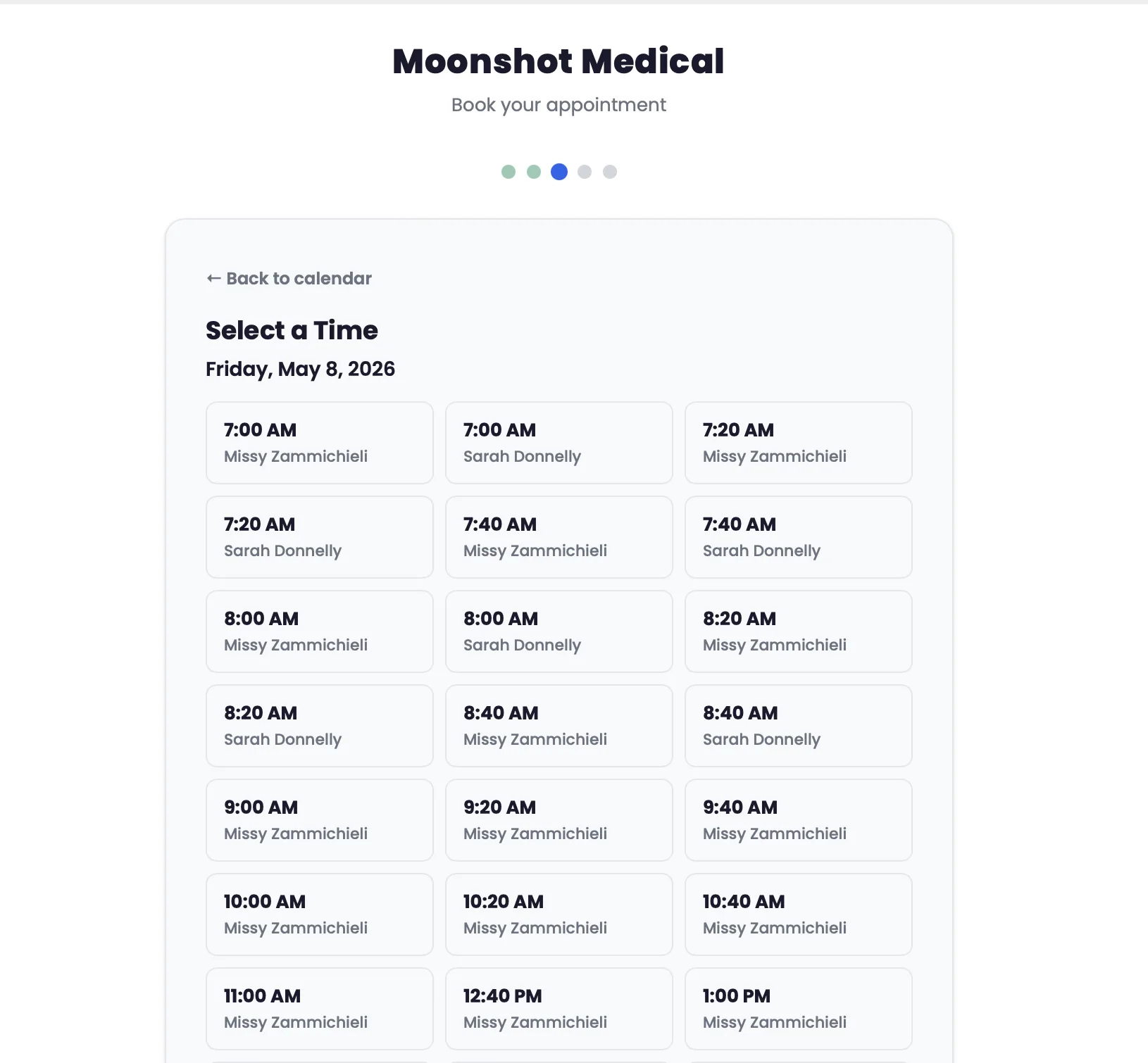
See the day across providers, give patients a simple way to book, and keep the next appointment connected to their care. Built for the daily rhythm of a cash-pay clinic.
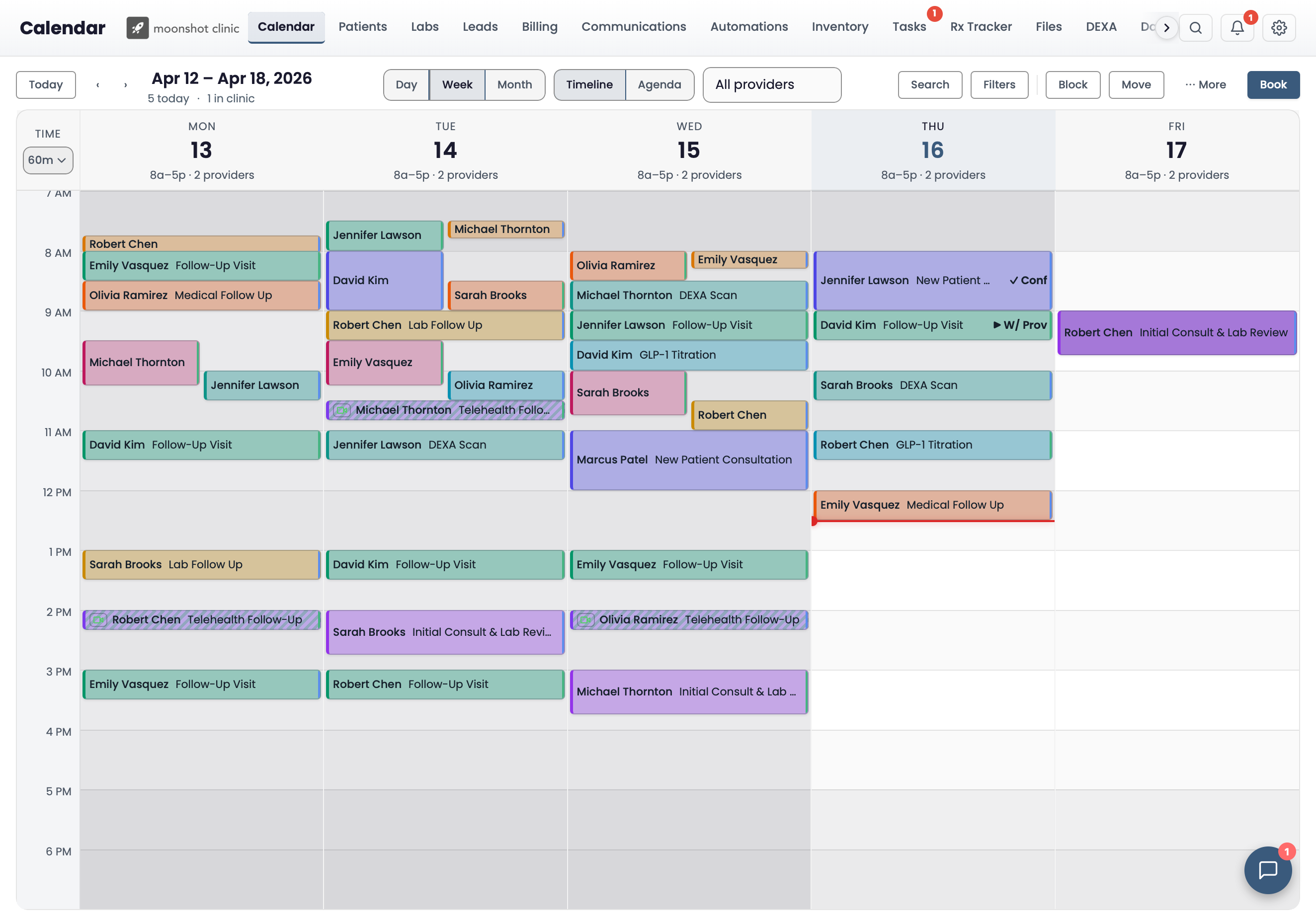
A focused view of the day
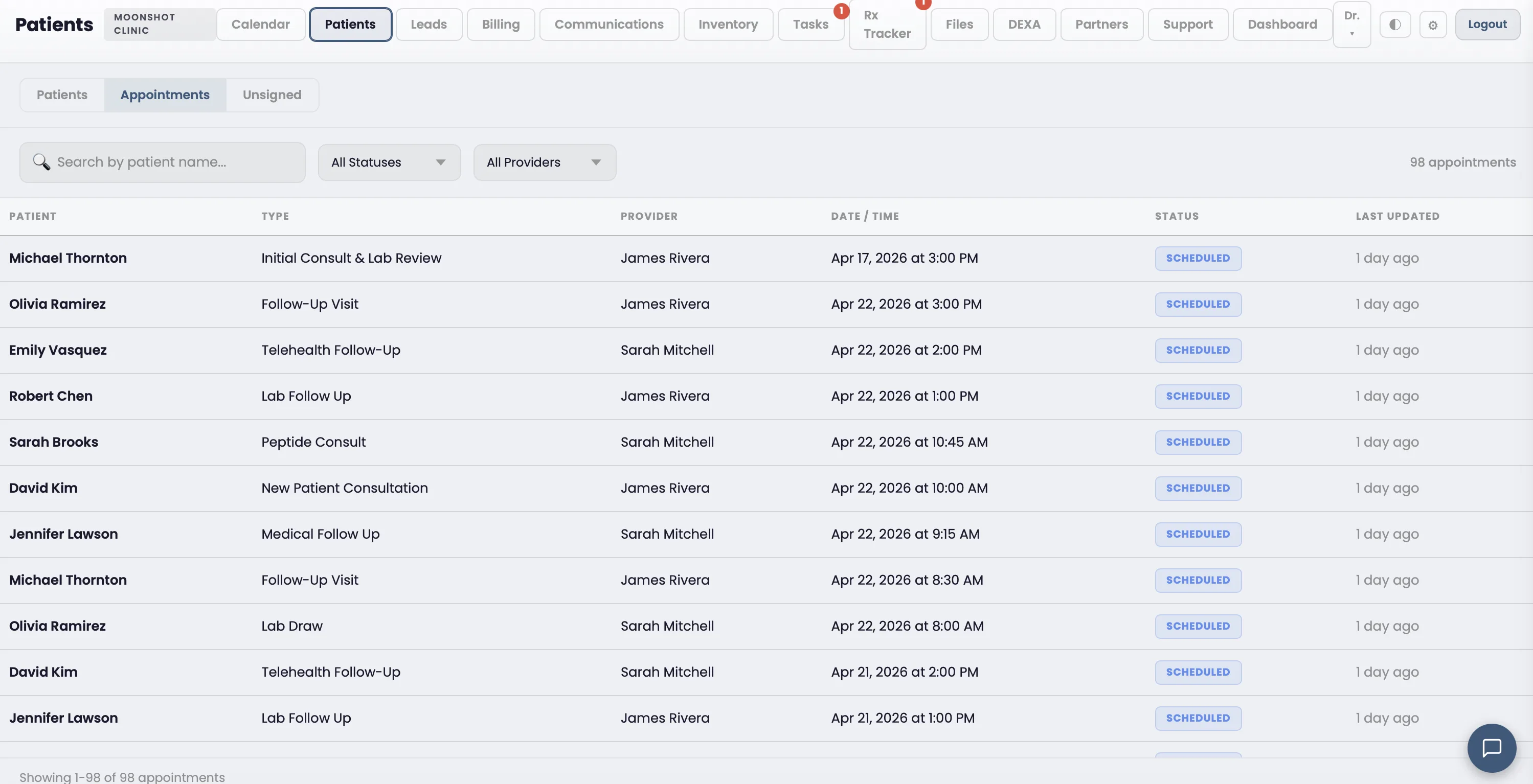
Switch to Day Agenda for a chronological list of appointments. Keep the patient, time, provider, visit type, and status together in one readable row.
Capabilities
Handle bookings, provider availability, and reminders without moving between separate scheduling tools.
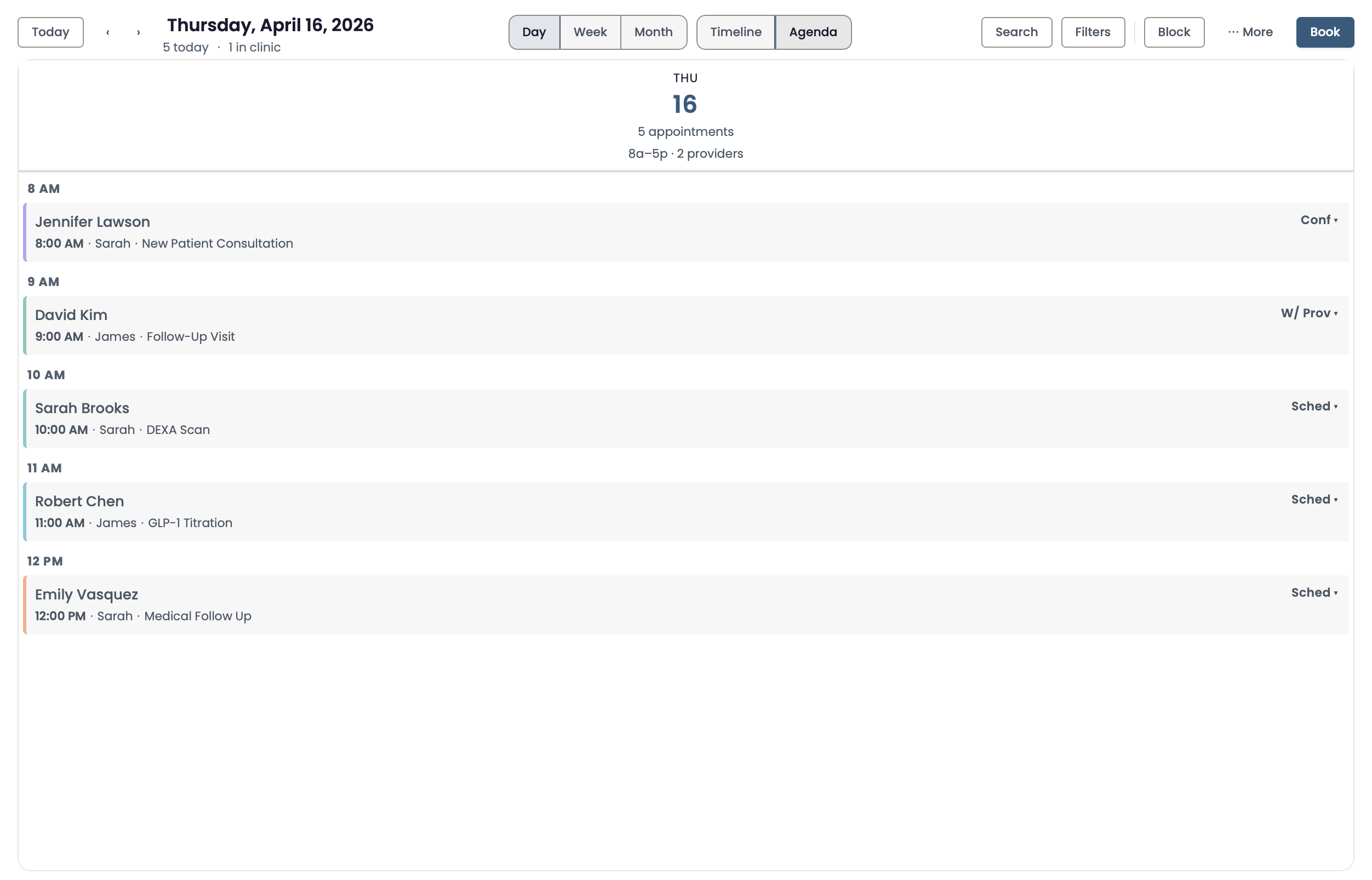
See every provider's schedule side by side. Filter by provider, date range, or appointment type. Drag to reschedule.
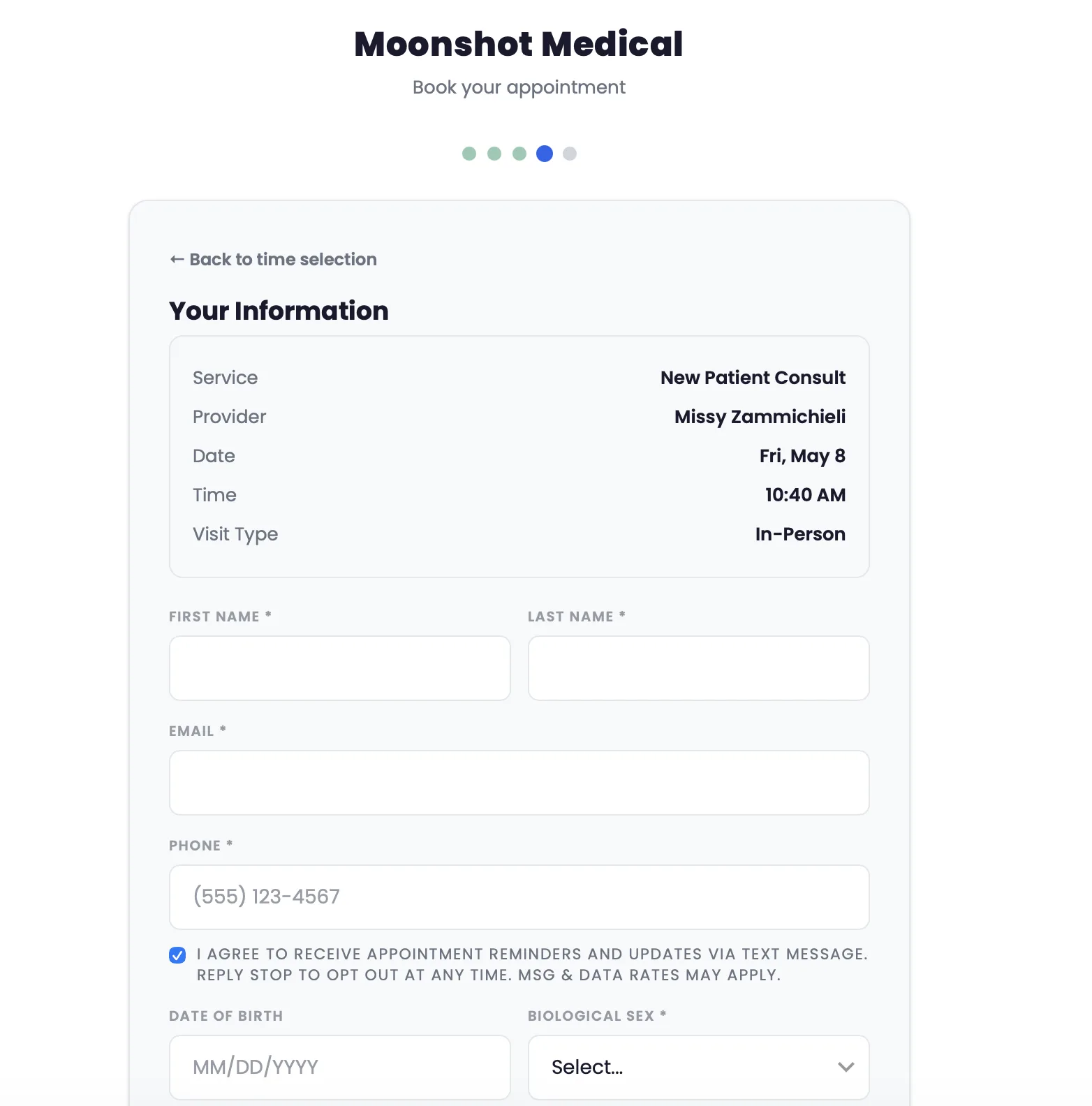
Patients book from your website with just a name, email, and phone. No portal signup. No password. Embedded or standalone.
Configure duration, pricing, color, prep instructions, and double-booking rules per appointment type. Link intake forms automatically.
SMS and email reminders sent on your schedule. Patients confirm or cancel directly. Keep upcoming appointments visible to patients and your team.
Set weekly recurring schedules per provider. Block vacation and time-off windows. Templates update future availability automatically.
Allow or prevent overlapping appointments per type. Some visits need a full slot; others can overlap. You decide the rules.
From booking to the visit
Let patients choose from available appointment times through your website or a standalone booking link.
Collect contact details in the booking flow. Configure appointment types with the duration, pricing, and preparation instructions your team uses.
See appointment status, filter the calendar by provider, and move between the schedule and patient context as the day changes.
From booked to prepared
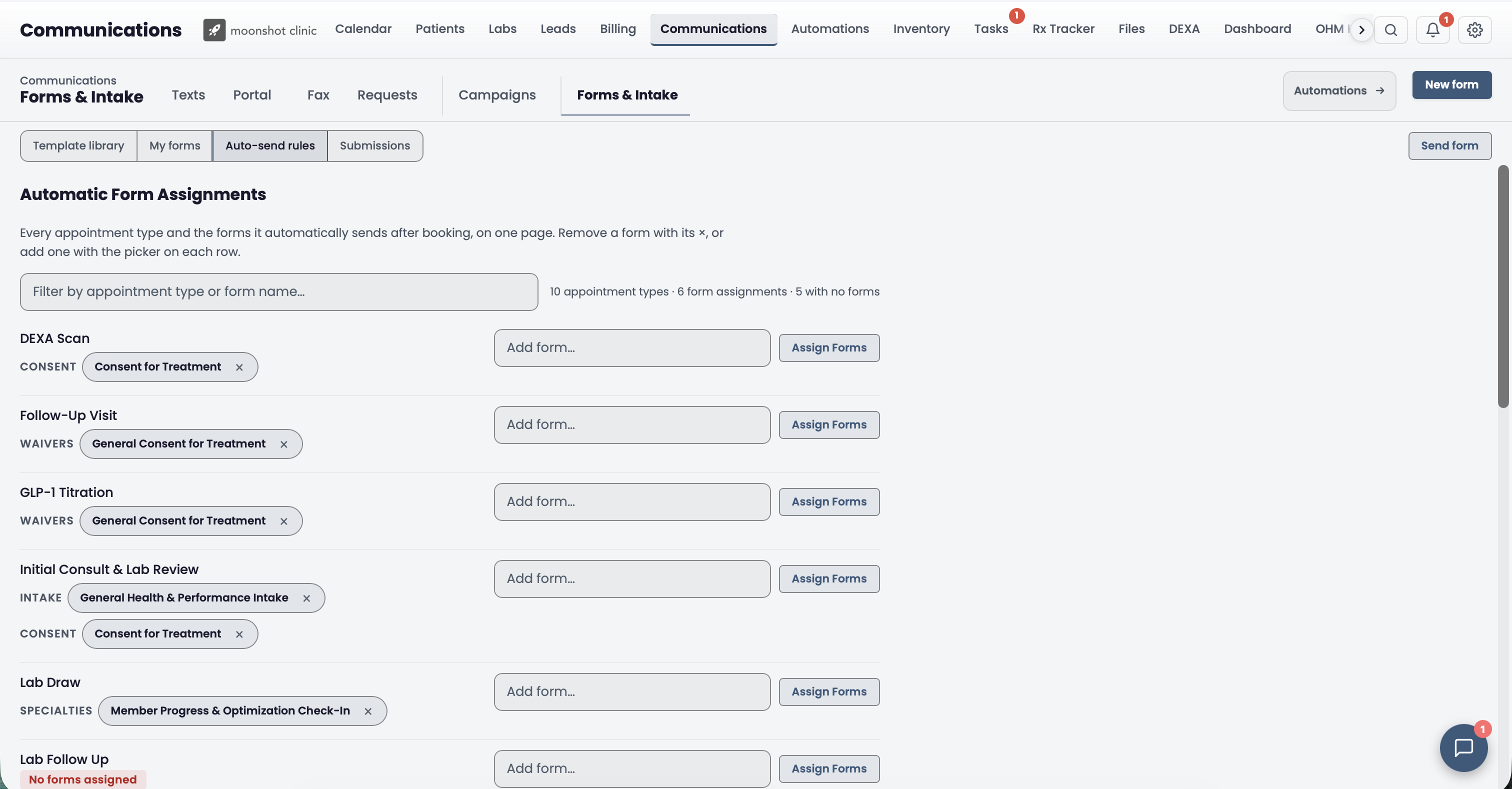
Build your intake forms in Moonshot, then assign them to appointment types. Booking starts the form request automatically, so your team has fewer links to send by hand.
01 · Build
Start with a template or build your own. Add questions, dropdowns, checkboxes, signatures, and file or photo uploads. Preview the patient experience before using it.
02 · Assign
Choose which intake forms and consents belong with each appointment type. See the assignments together and update them as your workflows change.
03 · Automate
Assigned forms are requested automatically after booking. For recurring intake, enable “Re-send every booking” on the form assignment.
Related Features
Patients book, cancel, and reschedule through the portal. Appointments sync in real time.
Learn moreForms auto-send when patients book. Responses land in the chart before they arrive.
Learn moreVirtual appointment types auto-provision video sessions. One click to join from the calendar.
Learn moreBook a 15-minute walkthrough and see how the calendar works for your clinic.
Book a Demo