Cerbo lets a clinic export a patient list, an appointments report and chart packages, and most EHRs that advertise a Cerbo migration import exactly those three things: demographics into the new system, appointments into the calendar, and each chart as a stack of files. A structured migration goes further. Moonshot EHR reads Cerbo through its API and carries encounter notes, questionnaires, documents, problems, allergies, medications, supplements, vitals, lab results as individual results, signed consents and appointment history into the right places in the new chart, then reconciles the result against Cerbo patient by patient before cutover. What does not transfer is listed and signed off, not discovered later.
The gap between those two approaches is the difference between a filing cabinet and a chart. A PDF of three years of notes is better than nothing, but a provider cannot trend a testosterone level out of it, and the front desk cannot see that a refill was requested in it. If you are leaving Cerbo, decide which of the two you are buying before you decide who you are buying from.
What Cerbo lets you take out
Three self-serve exports, per Cerbo's own documentation as summarized in Jane's and Practice Better's migration guides. A client list comes from Advanced Patient Search as a spreadsheet. Appointment history comes from the calendar report. Chart data comes as a package per patient, or as a batch chart export of every record, which has to be enabled by Cerbo support. Individual chart exports need a Superadmin login; a bulk export is requested by the clinic's main contact. Cerbo also publishes an API, available to a read-only API user your clinic creates, which exposes the structured data behind those exports.
What most receiving EHRs do with it
Jane's import guide lists a client list, an appointments report and chart data. Practice Better's lists patient records, appointment history and chart data, with signed agreements downloaded from each chart and re-uploaded by hand. That is a reasonable floor, and for a small practice with simple charts it may be enough. The cost shows up in the chart: labs arrive as PDFs rather than results, medications arrive inside a note rather than on the medication list, and the new EHR's trending, refill, inventory and automation features start from zero history.
What a structured migration carries
Scroll horizontally to compare all columns. Keyboard: focus the table region, then use the arrow keys.
| Cerbo data | Typical file-based import | Moonshot EHR API migration |
|---|---|---|
| Patients and demographics | Spreadsheet import | Imported with the Cerbo ID kept on the chart for traceability; active and inactive, with prospects and deceased only on request |
| Providers | Re-created by hand | Mapped to Moonshot providers before the load |
| Appointment history | Calendar report import | Past visits including cancellations and no-shows, de-duplicated per patient, type and time |
| Encounter notes and questionnaires | Inside chart PDFs | Individual notes on the chart timeline, de-duplicated on the Cerbo record ID |
| Problems, allergies, medications, supplements | Inside chart PDFs | On the problem list, allergy list and medication rail, flagged for clinician reconciliation |
| Vitals | Inside chart PDFs | Individual vitals, trendable |
| Lab results | Inside chart PDFs | Structured results per patient and date, trendable alongside new labs |
| Documents and forms | Re-uploaded by hand | Imported to the chart; Cerbo HTML forms rendered to PDF |
| Signed consents | Re-uploaded by hand | Imported as documents on the chart |
| Memberships, payment history, photos, insurance cards, tags | Usually not included | Not automatic. Handled as one-off loads or manual steps and signed off in writing before go-live |
How the migration runs
The sequence is the same every time, because the sequence is what makes it safe.
- Probe and pull. A read-only Cerbo API user is created, Moonshot confirms what the account exposes, and the raw data is pulled to a secure working copy. Nothing is written to the new clinic yet.
- Plan. The pull is shaped into a plan with counts of what will be loaded, what will be shaped, and what will be dropped with the reason for each. The owner reads the plan summary before anything loads.
- Slice. Three to five charts are loaded first and the owner compares them side by side with Cerbo. Disagreements get fixed before the full run.
- Full load. Patients, then problems, medications, allergies, notes, labs, vitals, documents and appointments, in that order, through the same audited import routes the product uses.
- Delta on cutover day. Patients, documents, prescriptions and appointments that changed since the pull are re-pulled in windows; entity types Cerbo's delta endpoint does not cover get a fresh metadata pull.
- Reconcile and sign. A reconciliation compares Cerbo to the new tenant per patient and per entity. The result is either zero gaps or a named exception list that the owner signs. Then the raw working copy is deleted.
In one recent migration of a multi-site practice with over two thousand charts, the chart metadata pull took about an hour and roughly seventy thousand documents took an afternoon. The calendar time is spent in the review steps, which is where it should be spent.
Safeguards during the switch
- Imported appointments send no confirmations or reminders, and marketing automations are suppressed on imported records. Your patients do not get a wave of texts because a database moved.
- Imported history is staff-only in the patient portal until the clinic chooses to release it.
- Imported medications, allergies and problems carry a needs-review badge and a reconcile banner until a provider confirms them. Moonshot does not pretend to have validated clinical content it did not author.
- Most loads can be undone by batch within 24 hours.
- Every import is audit-logged.
Doing it yourself for a small practice
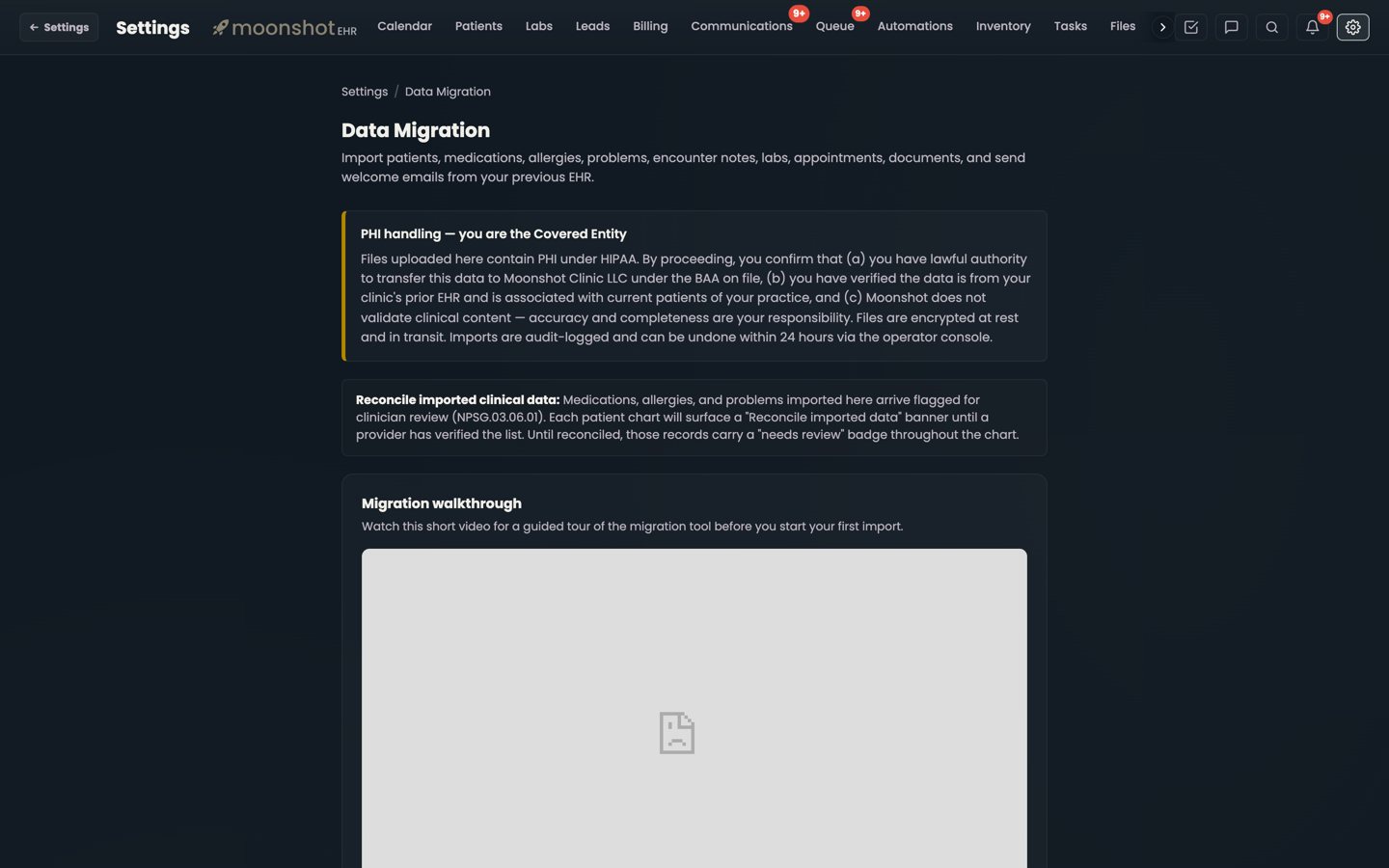
Not every switch needs a managed migration. Settings has a Data Migration page where an owner imports patients, medications, allergies, problems and encounter notes from spreadsheets using downloadable templates. It maps common header variations, previews before loading, produces a skipped-rows file with the reason for each skip, de-duplicates on email or MRN so re-runs are safe, and allows undo for 24 hours. Batches run up to 5,000 patients. Raw exports from any EHR can also be sent through a secure upload link for Moonshot to load.
Questions to ask any vendor before you sign
- Do labs arrive as results I can trend, or as PDFs?
- Do medications, allergies and problems land on their lists, or inside a note?
- What is the identity key, and what happens to a patient who exists twice?
- Can you re-pull what changed between the export and cutover day?
- Will you show me a count of what loaded against what Cerbo has, per patient?
- What exactly is not coming, and will you put it in writing?
- Will any patient receive a message because of the import?
Where Moonshot fits, honestly: a Cerbo migration into Moonshot EHR is run by Moonshot's team with the clinic's read-only API access, not a button the clinic presses, and memberships and payment history still need their own pass. What you get in exchange is a chart that behaves like the clinic has been on the platform for years: trendable labs, real medication lists, notes on the timeline, documents filed, and a signed reconciliation that says what landed. See the Moonshot vs Cerbo comparison for the feature side of the decision.
Sources
Vendor materials checked October 14, 2026: Jane, "Importing from Cerbo"; Practice Better, "Migrating from Cerbo"; Cerbo features. Cerbo's export options are described from those guides and change over time; confirm current export and API access with Cerbo support. Migration counts and timings are from Moonshot's own recent migrations, rounded, and are not a guarantee for your practice. This guide is general information, not legal advice; data transfer between covered entities and business associates carries HIPAA obligations you should confirm with counsel.